You sell, you buy, you pay people. Smart Business Book turns that day into real books — double entry underneath, plain words on top — and answers what you ask of it without waiting for an accountant.
No card to start·Keeps working offline·UGX, KES, NGN, GHS, USD
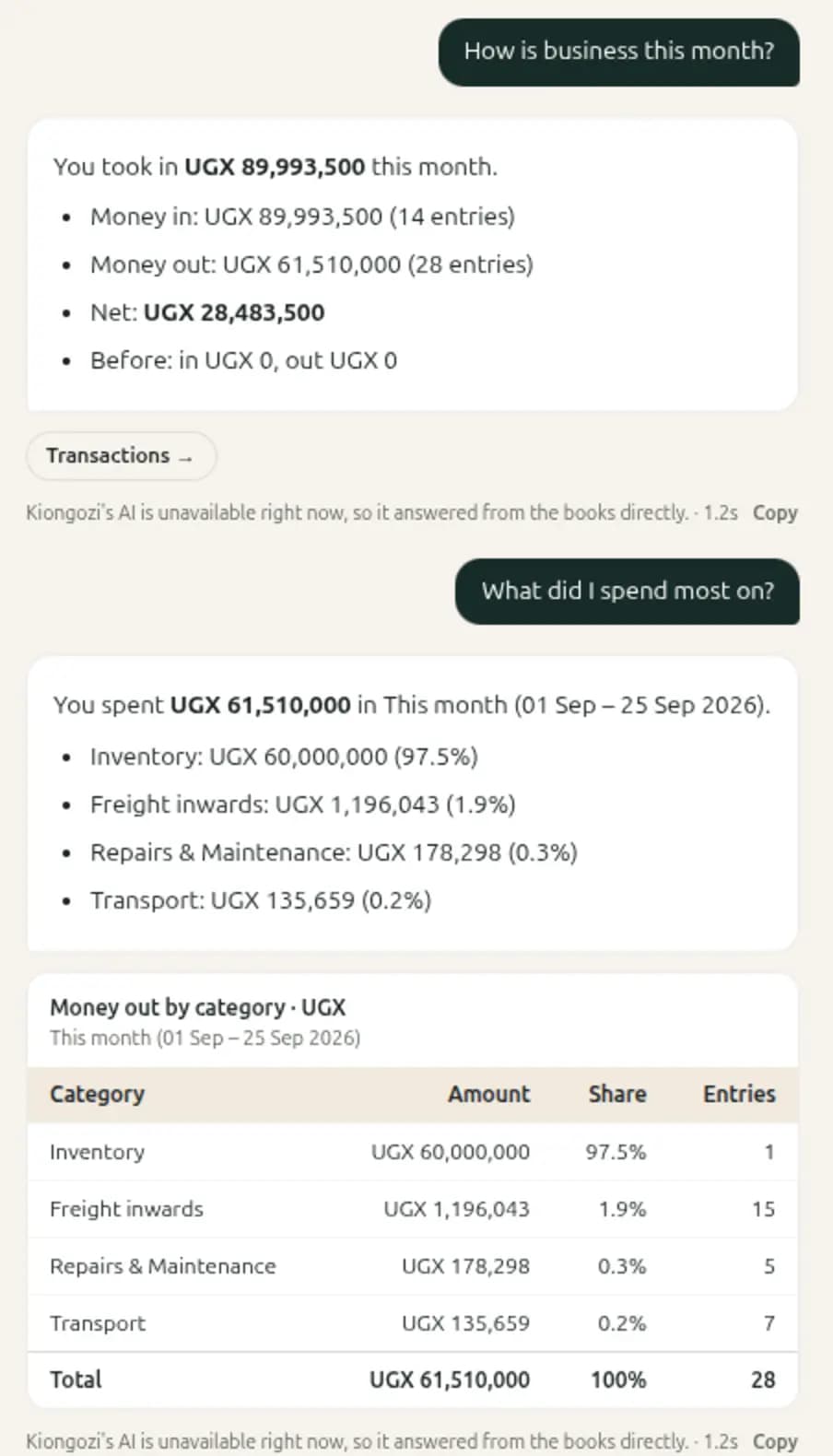
Kiongozi · your books, asked
It answers from what you recorded — and shows the table it counted.
Morning
The day opens on what needs you.
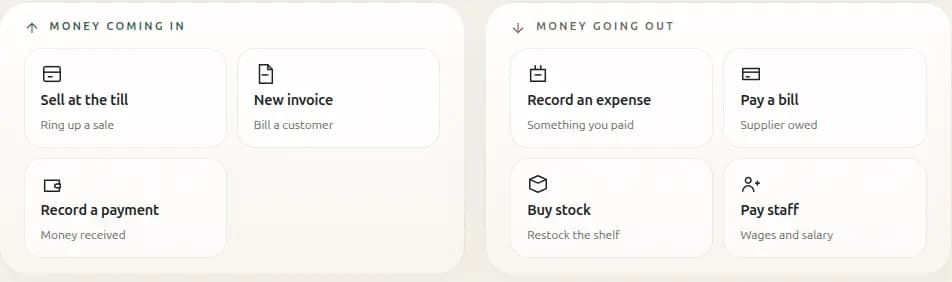
Not a chart of last quarter. What came in yesterday, what is owed today, and the six things a shop actually does — each one a tap, each one landing in the books the moment you finish.
6 actionssell, invoice, take a payment, record a spend, pay a bill, pay staff
1 tapfrom the home screen to a finished entry
Home
Money coming in on the left, money going out on the right. That is the whole day.
Through the day
Sheets, not forms.
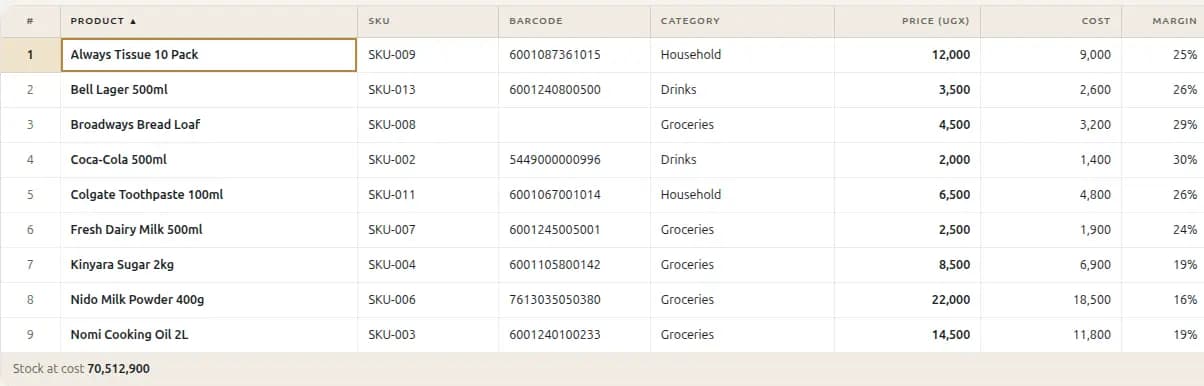
Your stock list is already in a spreadsheet. Paste the block in and it lands — headings matched, prices parsed, costs and margins worked out. Then click any cell and type, the way you already work.
Pastea block from Excel, straight below the last row
Ctrl+Dfill down · Ctrl+Z undo · Enter saves
Marginworked out per line as you set the cost
Products
A Kampala shop’s shelf, with the margin on every line and the stock at cost underneath.
When they have not paid
Nobody forgets who owes you.
Overdue invoices come to you rather than waiting to be found, with the number of days beside each one. Chase the lot, or send one person a reminder on the app they already answer.
UGX 2.7Mowed across 9 invoices, on this shop’s books
WhatsAppthe reminder goes where they will read it
Needs you
Seventy-two days late is a fact, not a feeling.
And the people you sell to
The whole relationship, on one card.
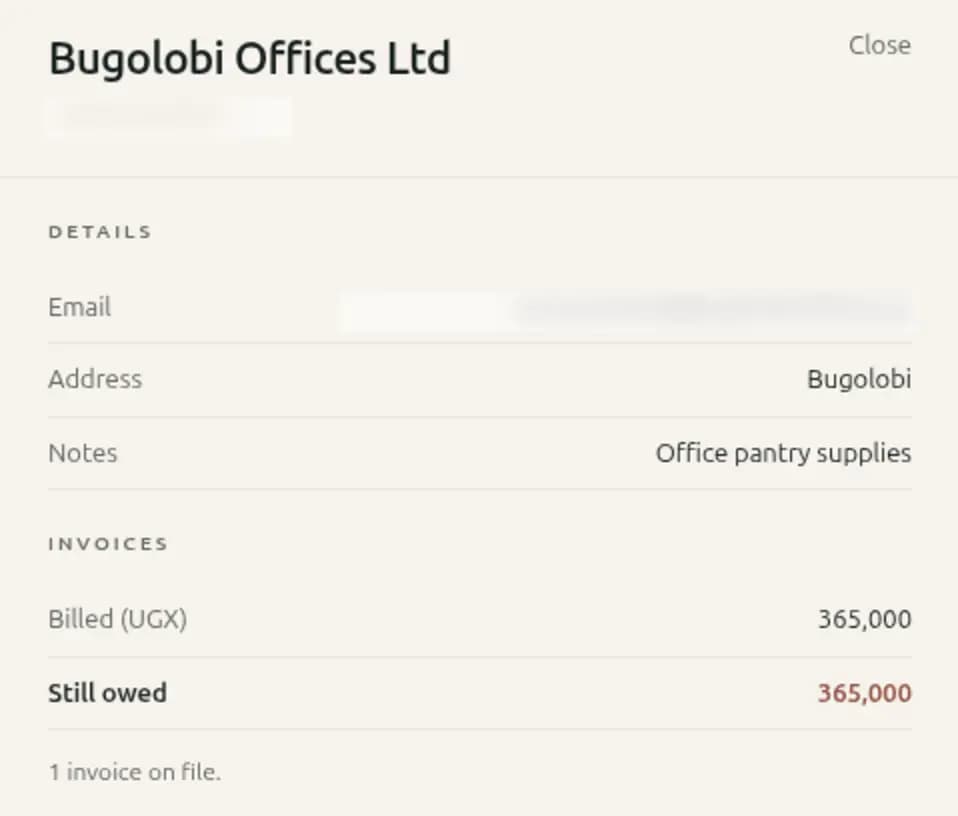
Open any customer from the list and it is all there — how to reach them, what they have been billed, what is still outstanding, and every invoice on file. No report to run, no second screen.
Still owedon the customer, not buried in a report
Their invoicesone click from their name
Contactshidden here — they are yours, not ours to show
Customers
Billed 365,000, still owed 365,000, one invoice on file.
Month end
The books are already done.
Nothing is reconstructed at the end of the month, because nothing was left for then. Every sale, bill and wage posted when it happened, so the statement is a reading of what is there — printable, shareable by a frozen link, ready for whoever asks.
Statementsprofit and loss, balance sheet, cash flow
TaxVAT and withholding worked out for your country
Sharea read-only link that cannot change after you send it
Profit & loss
Demo Multi Branch · 1 – 25 September · UGX
Money in
Sales
89,993,500
Money out
Inventory
60,000,000
Freight inwards
1,196,043
Repairs & maintenance
178,298
Transport
135,659
Net for the month
28,483,500
42 entries. Every line opens the transactions behind it.
Standing on their own
Take one part without taking all of it.
A supermarket wants a till that never stops at the counter. A warehouse wants stock and nothing else. An accountant wants forty clients on one screen. Each of these runs by itself — and writes to the same books the moment you want the rest.
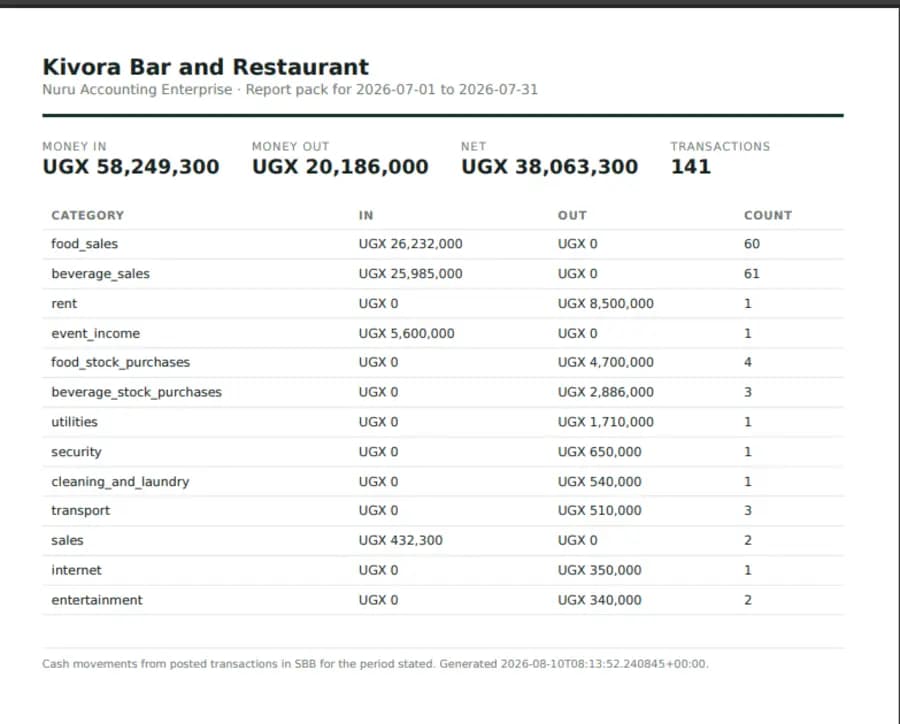
The three screens below are photographs of the running applications. The business, the client names and the figures belong to demonstration accounts — they are not customer data, and nothing here is a usage claim.
Desktop application
SBB Point of Sale
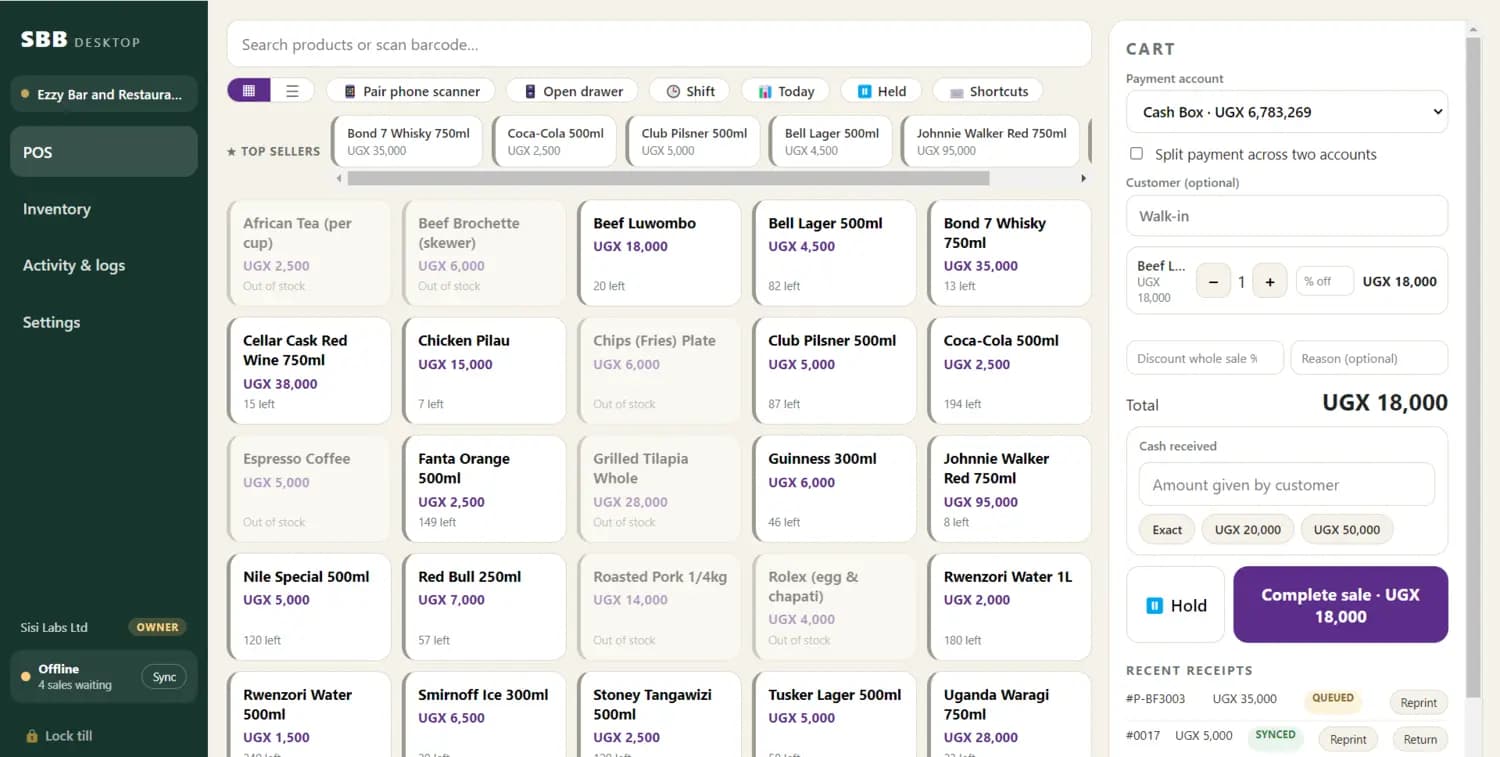
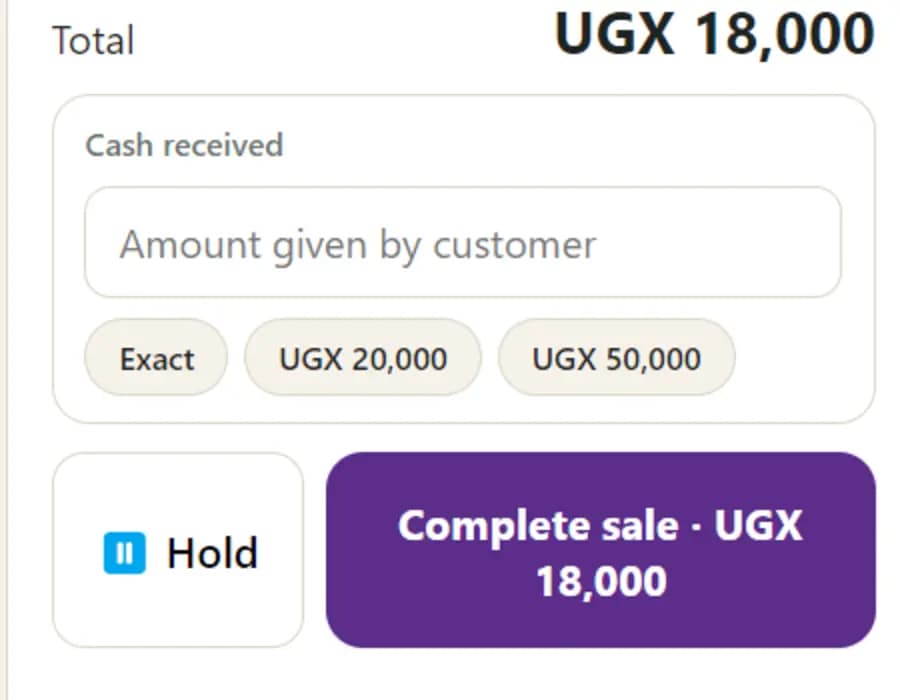
A till for the counter machine. It rings up, takes cash, mobile money or a card, splits a payment across two accounts, holds a sale, reprints a receipt — and keeps selling when the internet does not, then posts the whole day up the moment it returns.
Windows desktopWorks offlineCash, MoMo & cardCash drawer
No scanner to buy. Any phone in the shop becomes one.
Four sales already rung up with no connection. Nobody at the counter had to know.
Desktop & web
SBB Inventory
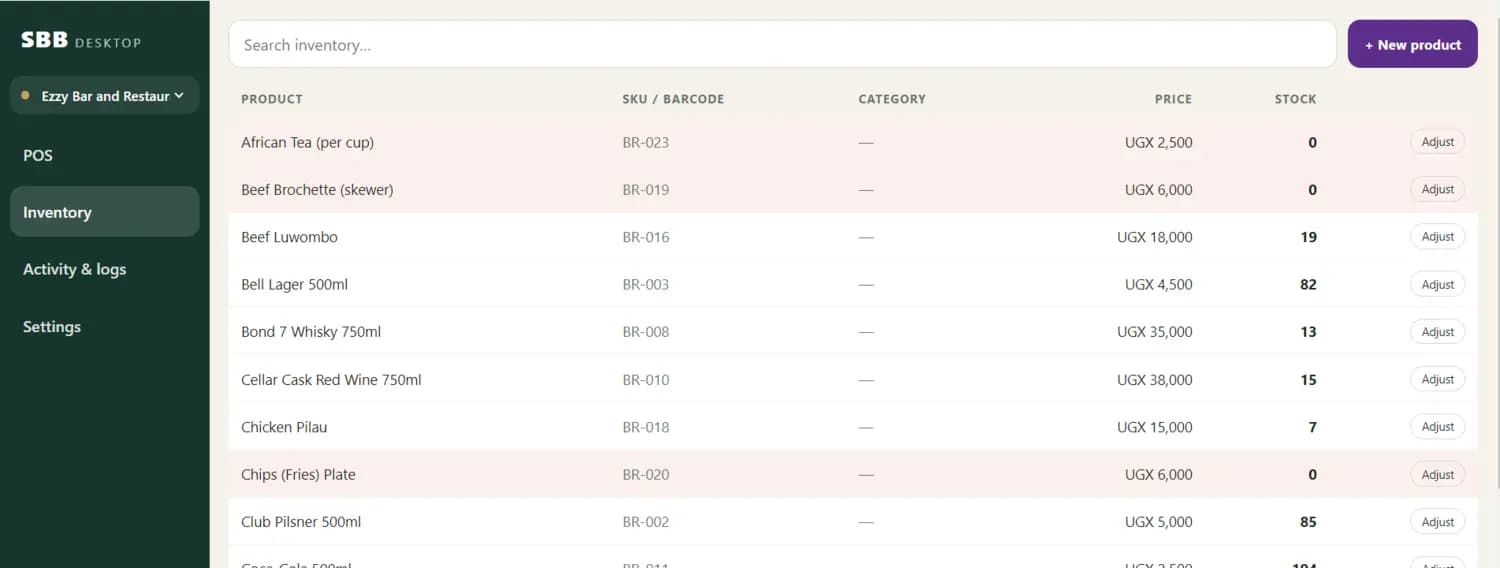
Stock on its own: what is on the shelf, what it cost, what came in on which purchase order, and what to reorder before it runs out. One store or twenty, each with its own count — and every sale at the till takes it down.
Same machine as the tillPurchase ordersStock transfersBarcodes & SKUs
Tinted rows are the ones at zero. You can see the gap without running a report.
For practices
SBB for Accountants
Every client’s books on one screen, with what each one is delegating, what looks unusual this week and how healthy the file is. Open a client’s ledger without asking anyone for a login, close the month with sign-offs that name a person, and send a branded pack when it is done.
Practice consoleClient groupsReport packsRoles & sign-off
The pack that leaves the office, under the firm’s own name.
Each client in its own currency; the portfolio total says where it converted.
What is inside
One book, not seven apps.
Everything below writes to the same set of books. A sale at the till, a wage run and a supplier bill all land in the same ledger, which is why the month end takes an afternoon instead of a week.
Ninety days of everything. Then a free plan that is not a demo.
Prices for
We bill in USD where you are — pay in your own currency by mobile money once you sign in. Every plan keeps your books, your history and your exports, including the free one.
Free
Free forever
Free forever. Real books for one business — point of sale, bookkeeping and core reports, up to 50 transactions a month.
Associations, groups and government programmes: white-label deployment, a dedicated customer success manager, SLA guarantees and full API access. Priced from the figure shown.
Smart Business Book (SBB) is an AI-powered business operating system. It combines bookkeeping, invoicing, point of sale (POS), inventory, payroll, bank reconciliation, business reports, and an AI assistant called Kiongozi in one platform, so you can run your whole business from a single place — on the web or on your phone.
Record today’s sales and today’s spending. By this evening you will know what the shop made, and the books will already be right — no setup week, no data project, no accountant on the phone.