Free for Windows 10 & 11

The two apps that work when nothing else does.

A till that keeps selling through a dead connection, and a full set of books that computes its own statements on your machine. Both native Windows apps, both free to download, both keeping your data on your own computer.

One-click installersThey update themselvesIf SmartScreen warns, choose More info → Run anyway
SBB Desktop · offline
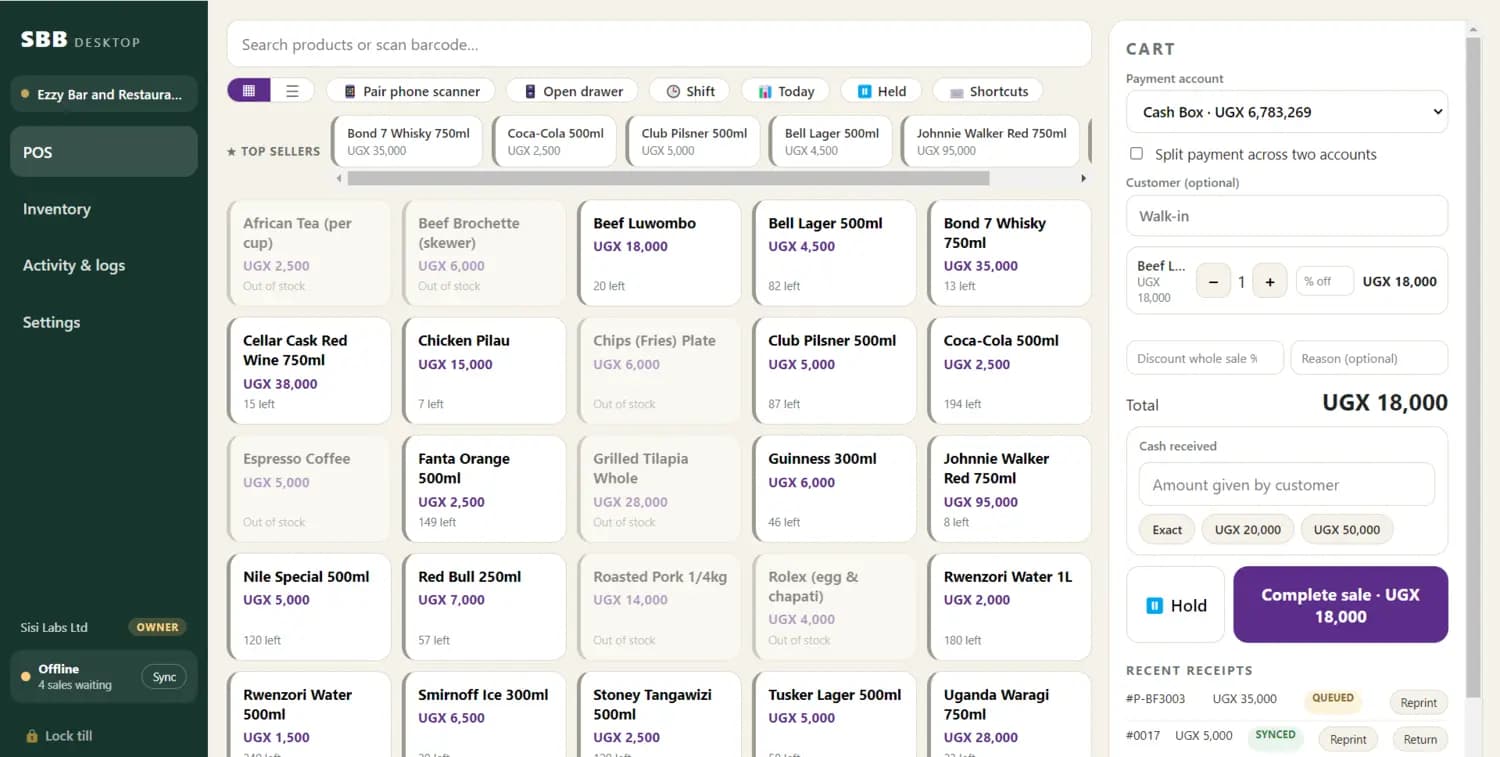
The SBB Desktop till: a grid of products with prices and the number left of each, a cart on the right totalling UGX 18,000, and a sidebar reading Offline with four sales waiting to sync.

Four sales already rung up with no connection. Nobody at the counter had to know.

Every screen on this page is the running application. The business, the catalogue and the figures belong to demonstration accounts — they are not customer data, and nothing here is a usage claim. Names and the merchant’s own mobile-money number are frosted out of the screenshots.

Sells with the internet offThe queue keeps moving, and the day posts itself up when the line comes back.
Paid to your own walletMobile money goes straight to your MTN or Airtel number — no merchant account to open.
Books on your own machineSBB Accountant holds the whole general ledger locally, encrypted, and balances with the network unplugged.
Free for Windows 10 & 11Both installers, no card, and they keep themselves up to date.

SBB Desktop · v0.32.1

The till is the books.

Every sale reaches your ledger the second it is paid — no end-of-day export, no re-typing. And when the internet goes, it keeps taking money and catches up later.

Run the whole night on one screen.

Open a tab per table, keep adding through the evening, fire the order to the kitchen and bar, then split the bill however they ask.

  • Tables & tabsTap a table to open its tab. It saves itself as you go, and colours as it ages so nobody is forgotten.
  • Straight to the kitchenFood to the kitchen, drinks to the bar — dockets carry the add-ons and notes, and only ever fire the new items.
  • Split the billBy item or equally. The shares always add back to the bill, to the shilling.
  • Add-ons & sizes“Extra egg +500”, “Large +1,000” — priced automatically and printed on the docket.
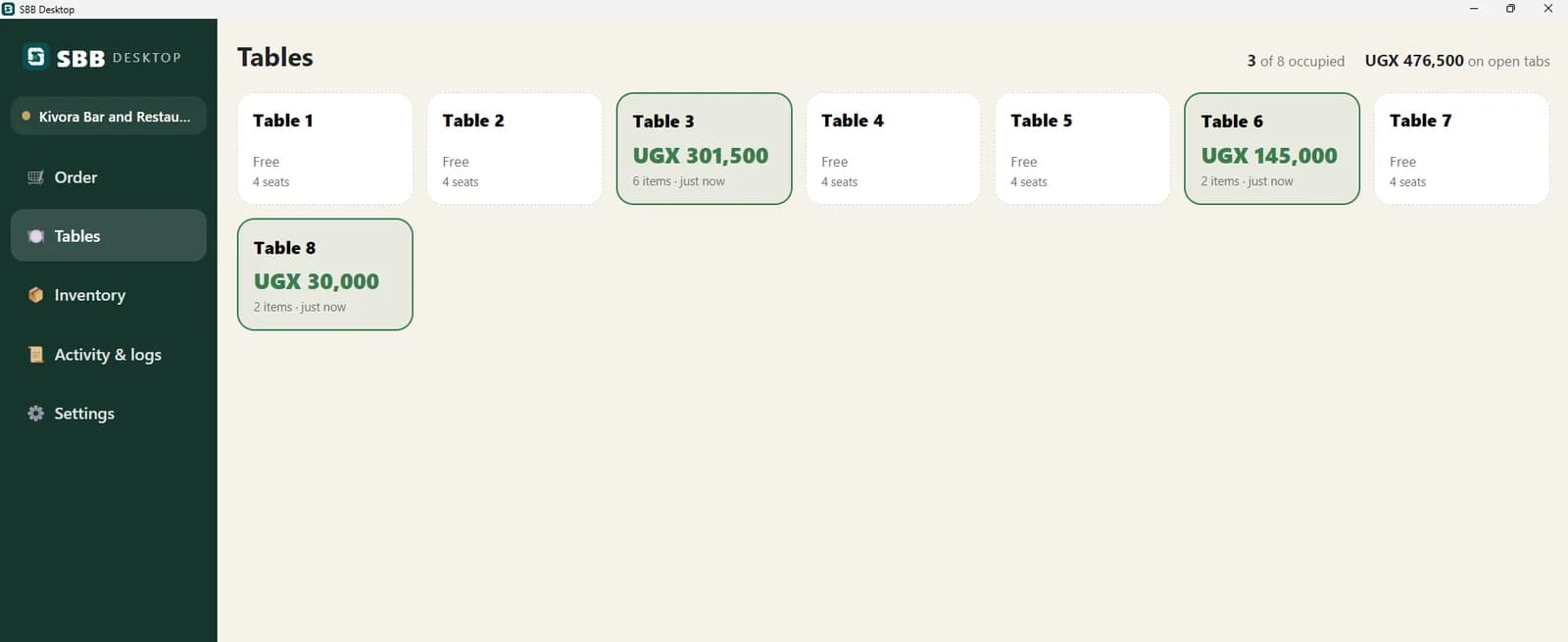
The restaurant floor in SBB Desktop: eight tables, three occupied, each showing its running tab and how long it has been open, with the total on open tabs in the corner.
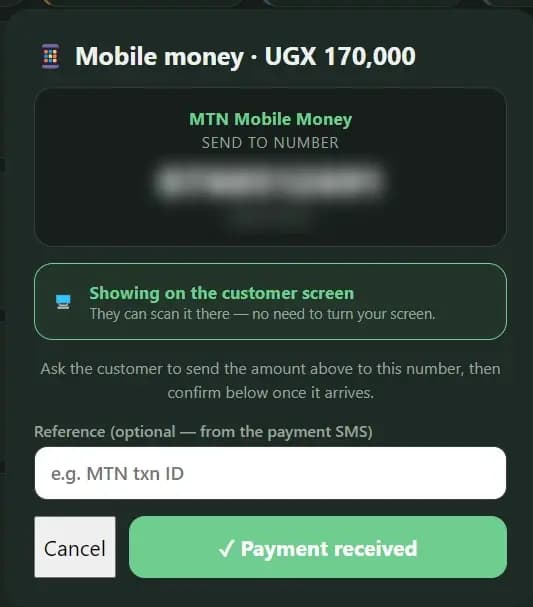
The mobile-money screen in SBB Desktop, showing the amount to collect and the business's own MTN number for the customer to send to.
Mobile money · your own numberThe customer pays your MTN or Airtel directly. No new merchant account, no waiting for a payout.
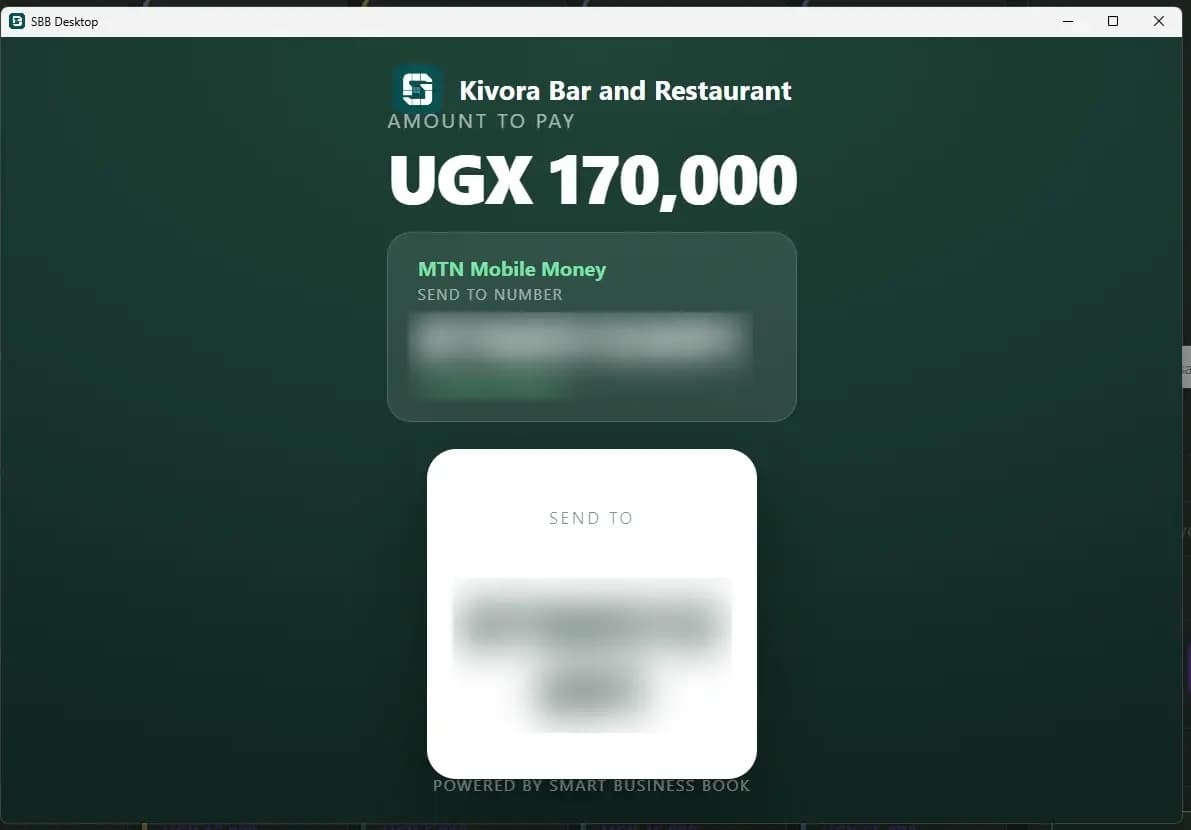
The customer-facing screen showing the amount to pay and where to send it, so nobody has to turn the till around.
The customer's own screenThey see the amount and where to send it — nobody swivels the till around.
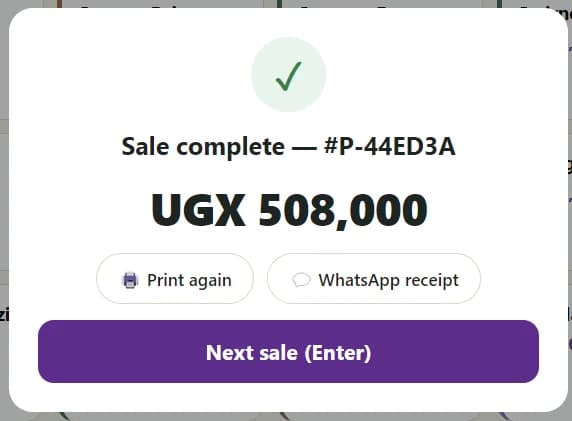
Sale complete in SBB Desktop, with the receipt number and total, and buttons to print again, send the receipt on WhatsApp, or start the next sale.
Receipt on WhatsAppPrint it, WhatsApp it, or neither. One tap, then straight to the next customer.
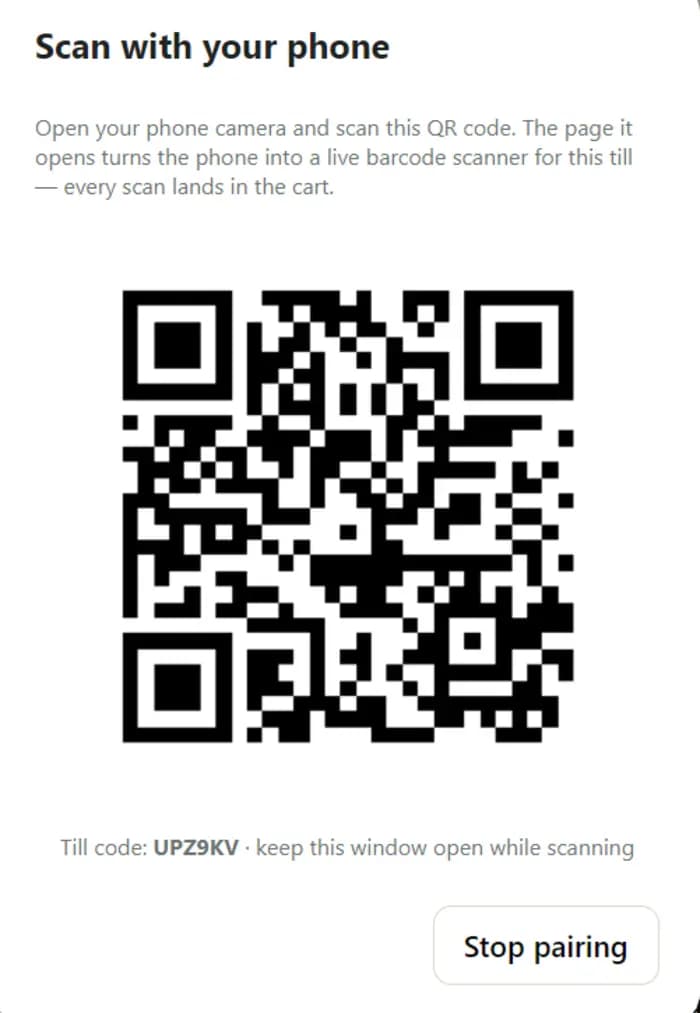
A dialog headed “Scan with your phone” showing a QR code that turns the cashier's phone into a live barcode scanner for this till.
Your phone is the scannerNo scanner gun? Point the till's QR at any phone and it reads barcodes straight into the cart.

SBB Accountant · v0.12.0

Your whole set of books. On your own computer.

Not a viewer, and not a sync of somebody else’s numbers. A complete copy of your general ledger that computes its own trial balance, profit & loss and balance sheet on the machine — with the network unplugged, in whatever currency you keep.

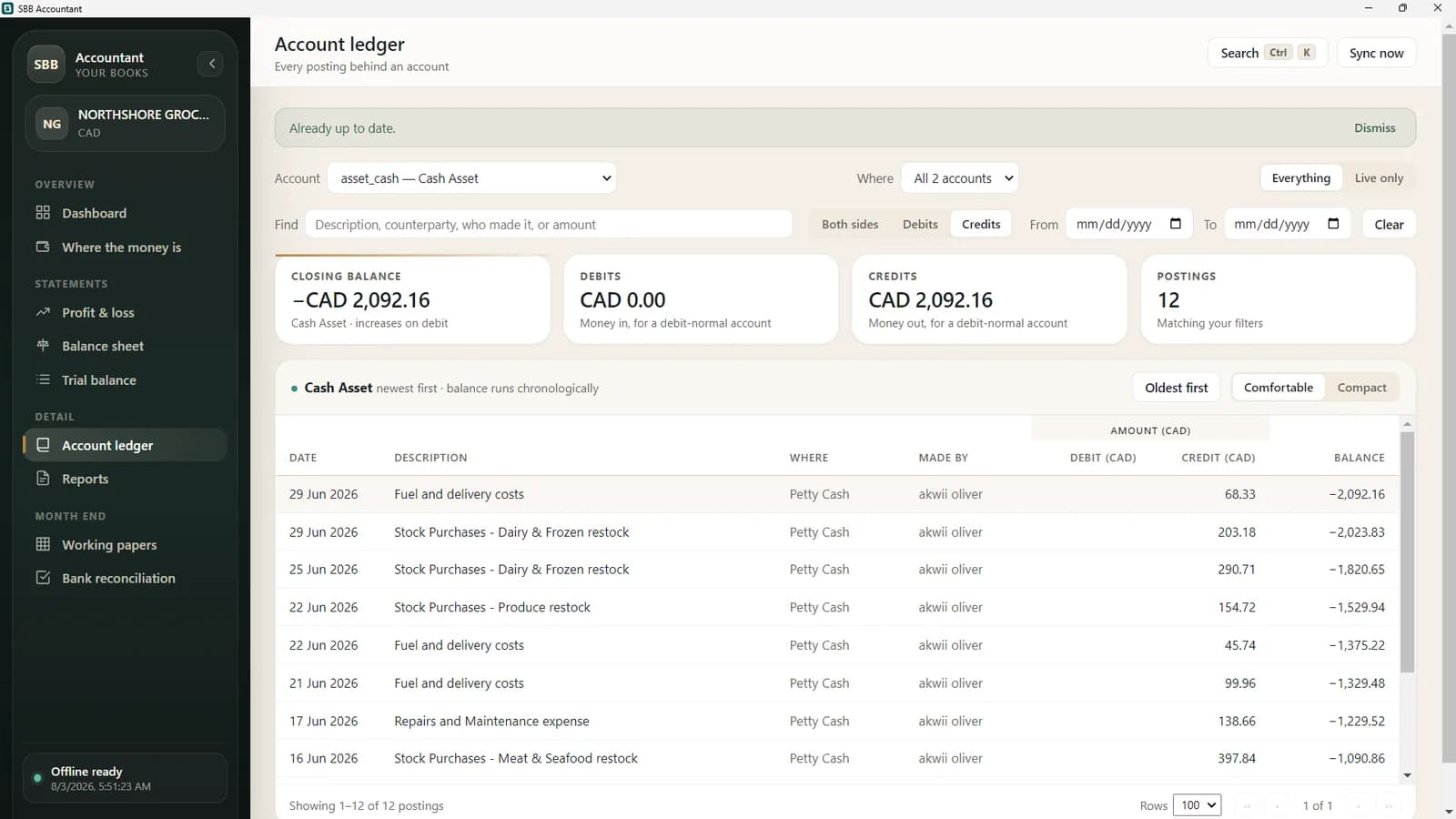
Every posting, with the balance after it.

The column a ledger exists for. What the balance was on the 14th, who made each entry, and which till it moved — on any page, in either order.

  • A running balanceComputed chronologically across the whole account, so page two continues page one instead of restarting.
  • Who made itEvery posting carries the person who recorded it — on screen and in every export.
  • One till at a timeAn account holding several drawers or wallets narrows to just one, so you can see the till and not the total.
  • Nothing silently cut offLong accounts page properly and always state how many postings there really are.
An account ledger in SBB Accountant: each posting with a running balance beside it, the person who recorded it, and which money location it moved.

Statements computed here

Trial balance, profit & loss and balance sheet worked out on the machine — not fetched from a server that might not answer.

Working papers, both ways

Export to Excel, tick it there if you prefer, and post the result back as one journal.

A report pack in one workbook

Every statement in a single file, ready to send to a client or an auditor.

Multi-currency, frozen

Each posting keeps the rate it was recorded with, so last year's figures do not move when today's rate does.

Several businesses, offline

Switch between the books you have access to without going back to the web.

Encrypted where it sits

The local copy is encrypted on disk. Losing the laptop is not losing the books — the web app still has them.

Questions

What people ask before installing.

Yes, and that is the point of them. SBB Desktop keeps taking sales, printing receipts and checking stock with the network unplugged, then syncs everything when the connection returns. SBB Accountant holds a full copy of your general ledger on the computer and computes the trial balance, profit & loss and balance sheet locally — those statements are not fetched from a server, so they work on a plane.

Start on the web, add the apps later

Nothing has to be set up twice.

Both apps read the same books as the web app. Open an account in the browser today, and install the till on the counter machine whenever you are ready for it.